Best Practices for AI Video Creation: Tips from the Experts
Learn proven strategies and best practices for creating engaging AI-generated videos that resonate with your audience.
Creating compelling AI-generated videos requires more than just good tools—it requires strategy, creativity, and attention to detail. In this guide, we'll share best practices that will help you create videos that stand out and engage your audience.
1. Start with a Clear Goal
Before you create a video, define your objective. Are you educating, entertaining, or promoting? Your goal will influence every decision, from script tone to visual style.
- Educational videos: Clear, informative scripts with visual aids
- Entertainment: Engaging narratives with dynamic visuals
- Marketing: Compelling CTAs with brand-consistent styling
2. Write Compelling Scripts
A great script is the foundation of a great video. Here are key principles:
- Hook viewers in the first 3 seconds
- Keep sentences short and punchy
- Use active voice and action verbs
- Include a clear call-to-action
- Match script length to your platform (15-60 seconds for social media)
3. Choose the Right Visual Style
Your visual style should match your brand and content type. Consider:
- Realistic: For professional, trustworthy content
- Anime/Cartoon: For fun, creative, or educational content
- Cinematic: For dramatic, high-impact videos
- Minimalist: For clean, modern aesthetics
4. Optimize for Your Platform
Different platforms have different requirements and best practices:
- TikTok/Instagram Reels: 9:16 aspect ratio, 15-60 seconds, bold visuals
- YouTube Shorts: 9:16 aspect ratio, up to 60 seconds, engaging hooks
- Instagram Posts: 1:1 or 4:5 aspect ratio, 30-90 seconds
- LinkedIn: 16:9 aspect ratio, professional tone, 30-120 seconds
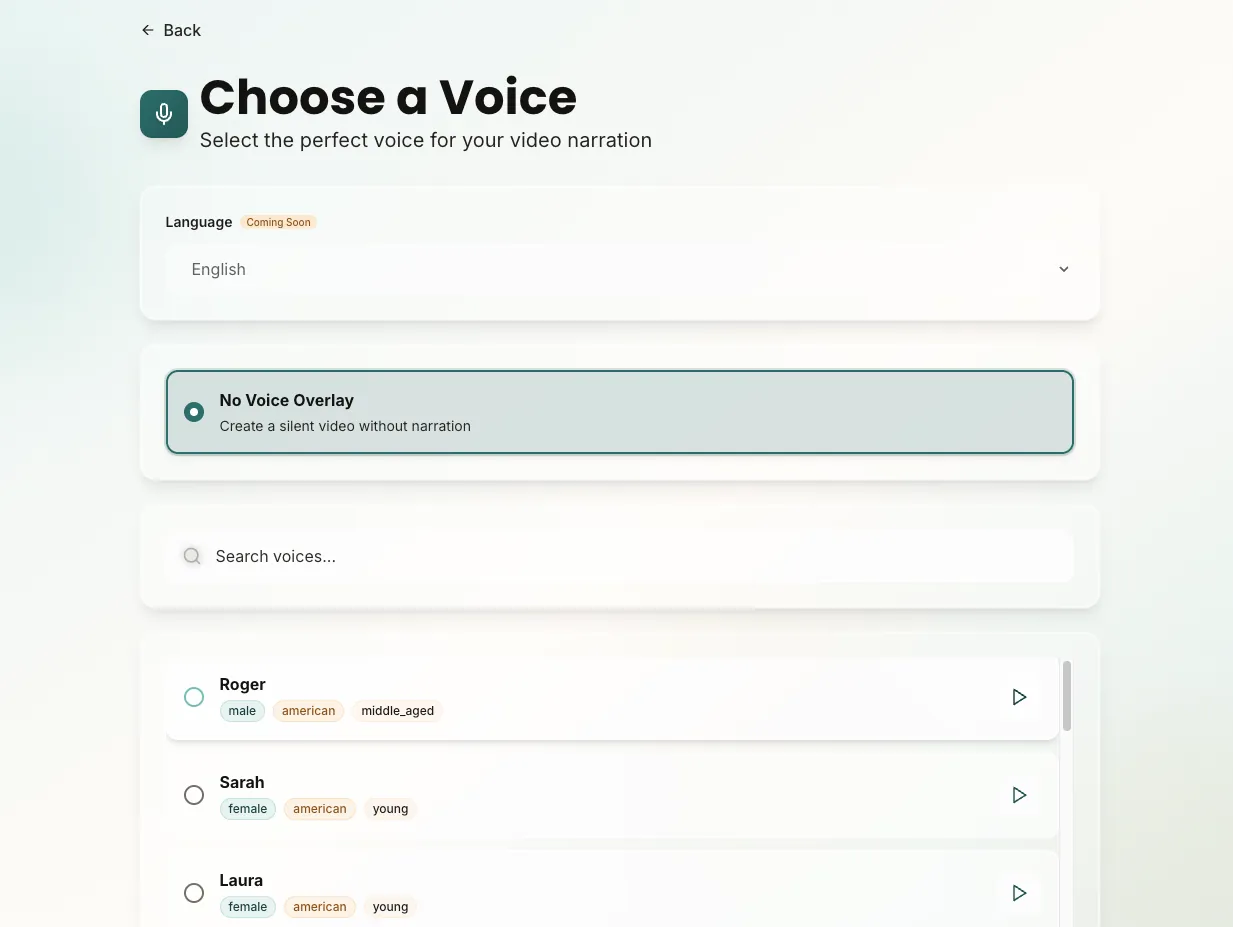
5. Use Voice Strategically
The right voice can make or break your video. Consider:
- Match voice tone to your content (energetic for entertainment, calm for education)
- Test multiple voices before finalizing
- Ensure voice clarity and natural pacing
- Consider your target audience's preferences
6. Add Background Music Thoughtfully
Background music should enhance, not distract. Best practices:
- Keep music volume low (20-30% of narration volume) - use FeedScape's volume controls
- Match music mood to content tone
- Use AI-generated music with custom prompts for perfect fit
- Use music to create rhythm and pacing
- Consider silence for dramatic effect
7. Edit and Refine
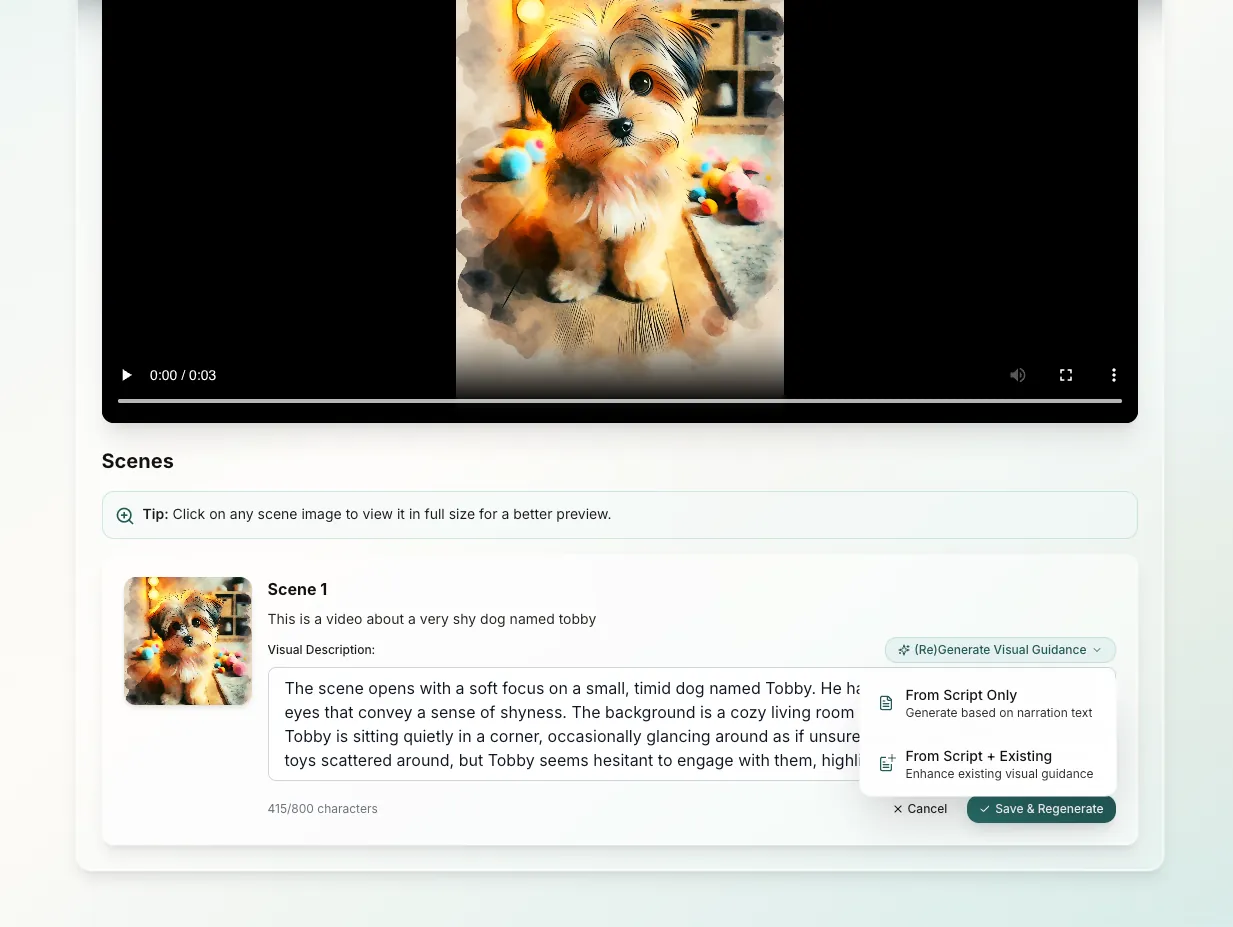
Don't settle for the first generation. Use FeedScape's scene-by-scene editing to:
- Regenerate scenes that don't match your vision
- Adjust scene durations for better pacing
- Fine-tune visual descriptions for accuracy
- Ensure consistent style throughout
- Enable captions for better accessibility and engagement
- Customize caption styling to match your brand
8. Test and Iterate
The best videos come from iteration. Create multiple versions, test different approaches, and learn what resonates with your audience.
- A/B test different styles and scripts
- Monitor engagement metrics
- Gather feedback from your audience
- Refine based on performance data
Common Mistakes to Avoid
- Overloading scripts with too much information
- Using mismatched visual styles
- Ignoring platform-specific best practices
- Skipping the review and edit process
- Not testing different options before finalizing
- Forgetting to enable captions for accessibility
- Not using Voice Snap for smoother narration
Start applying these best practices today with FeedScape!
Get Started Free